Give every dollar a job.
Zero-based budgeting assigns your income to categories until nothing is left over, then you spend from those categories instead of from a vague balance. Cashlucent runs it on a real double-entry ledger, so the envelopes and the bank balances come from the same numbers.
Included with every Cashlucent membership. 14-day free trial, no card to start.
Three rules, one number to watch.
- 1
Assign until Ready to Assign reads $0
A paycheck lands in Ready to Assign. Hand it out to rent, groceries, the card payment and savings until the number reads zero. Now every dollar you have is spoken for.
- 2
Spend from envelopes
Record each purchase against its category. Available drops as you go. A category with money left says yes; a category at zero says wait, or move money from somewhere else.
- 3
Let overspending roll forward
Overspend in cash and next month starts short by that amount. Overspend on a card and the card-payment envelope carries it. Nothing gets reset quietly.
This is the screen.
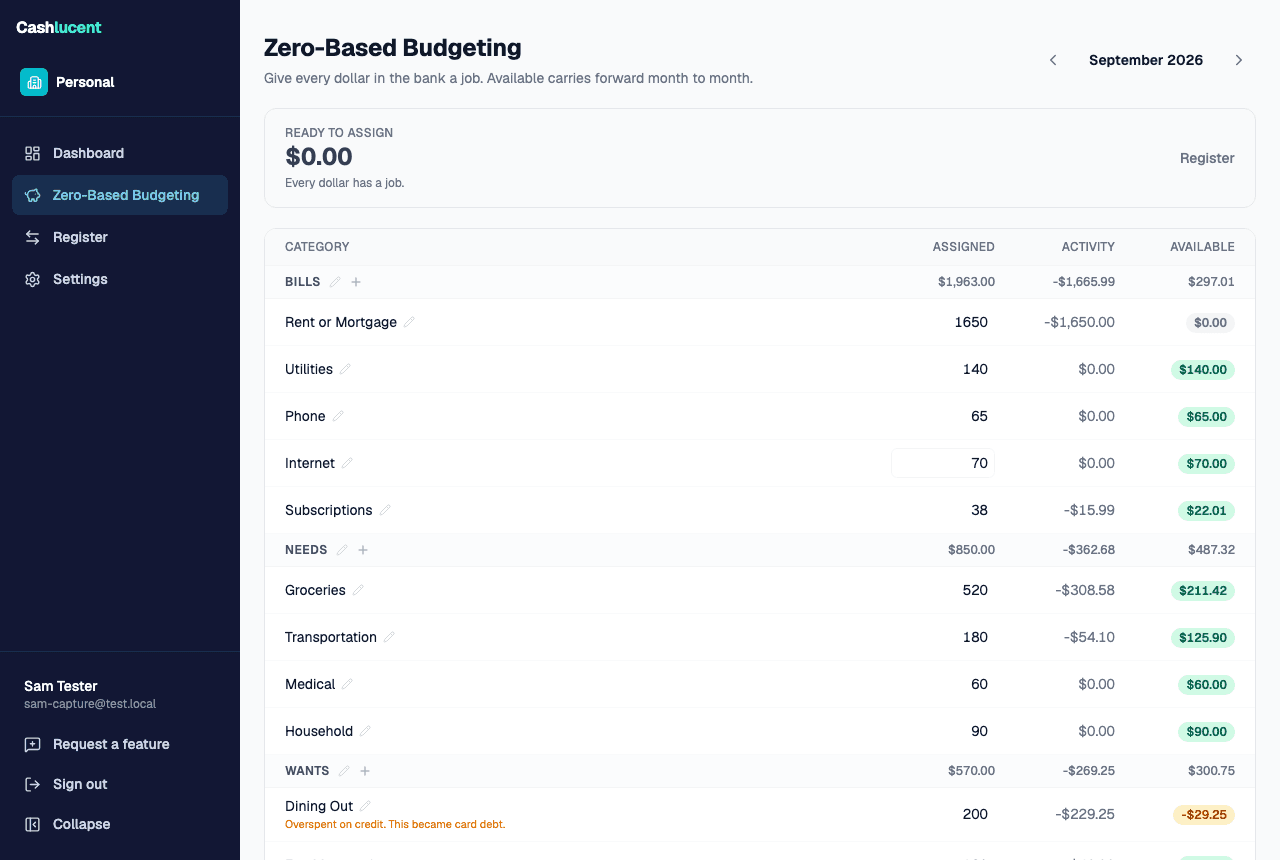
September, one paycheck in. $4,200 assigned across four groups, Ready to Assign at $0, and Dining Out $29.25 over after three restaurants. Available is the only column you need to check before you spend.
Move money when the month changes on you.
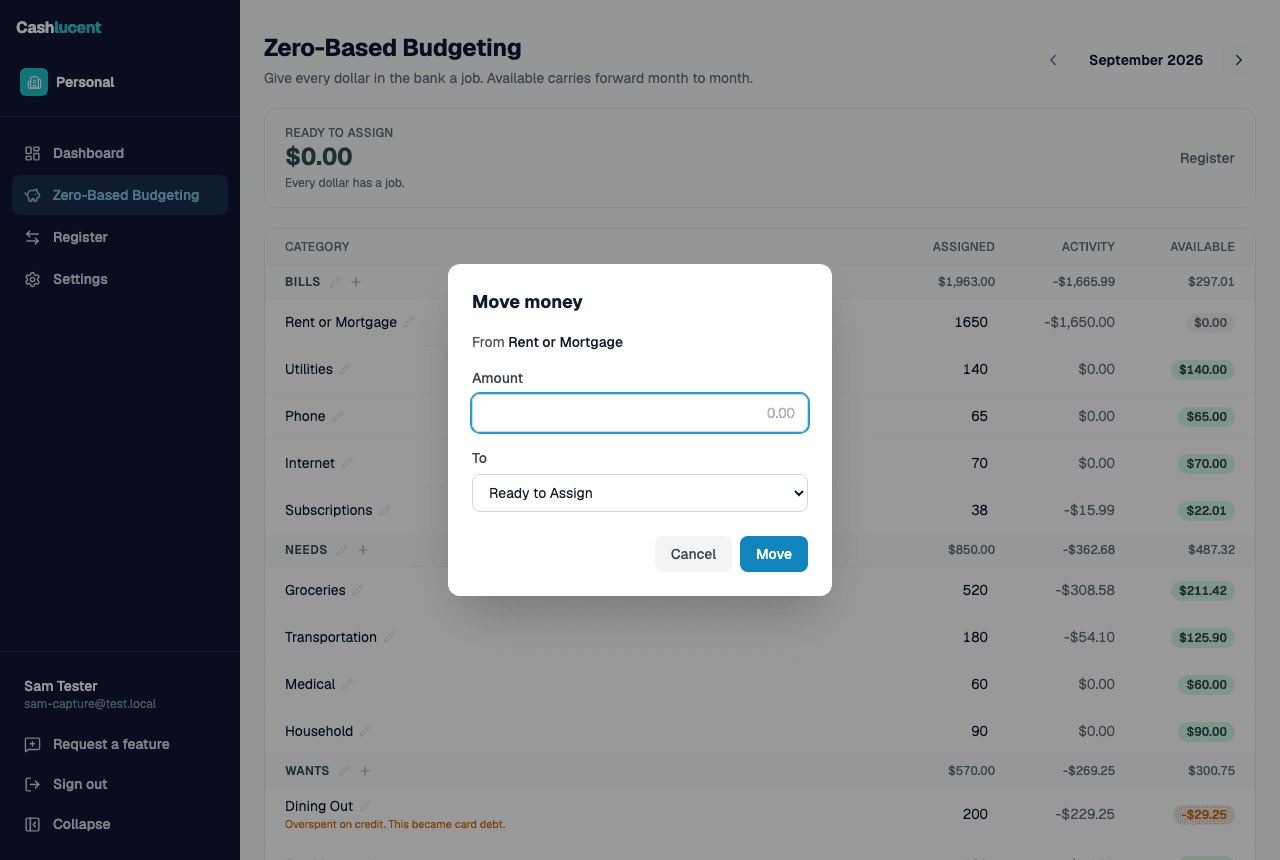
Groceries came in under and Dining Out went over. Open one dialog, move $30 from one envelope to the other, done. The ledger records the move, so the history shows what you decided and when.
A register with running balances.
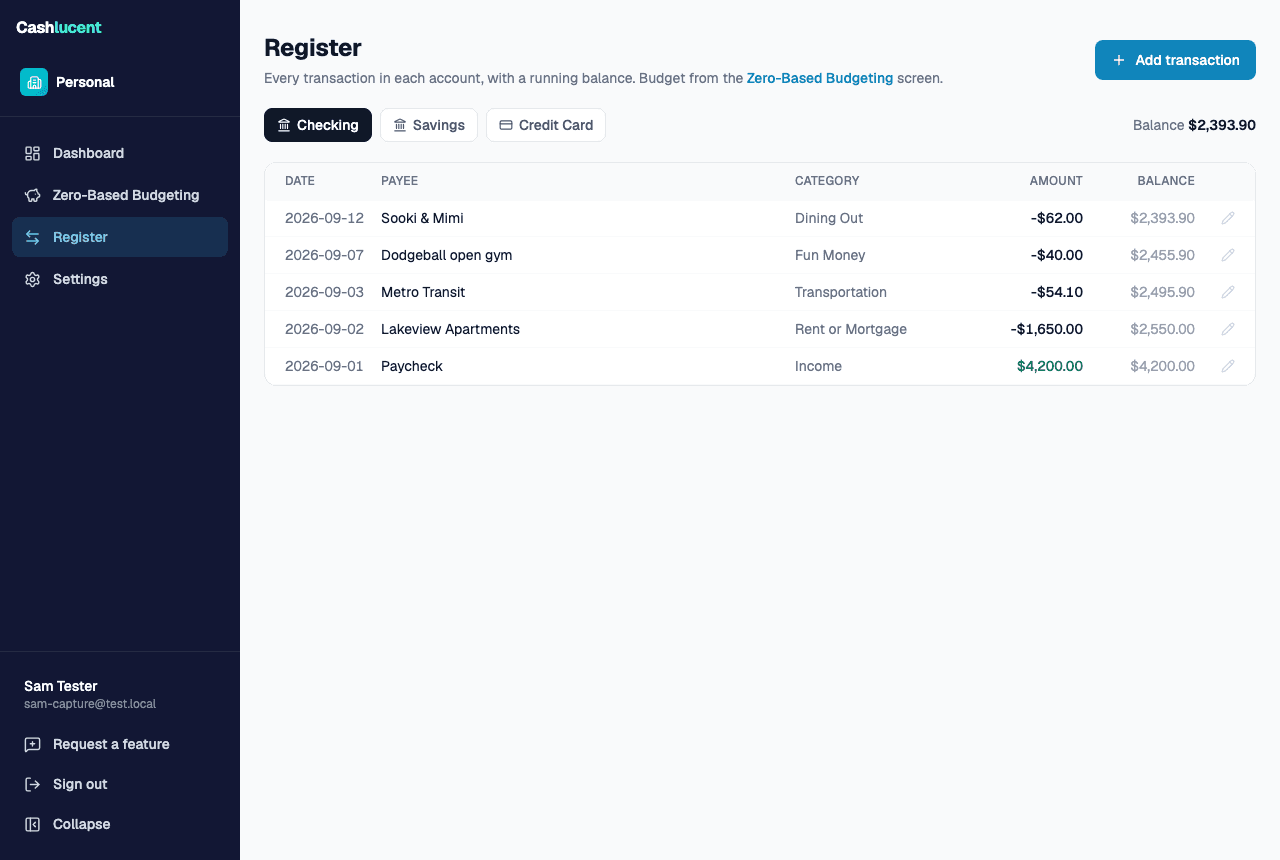
Checking, savings and the card each keep a register with a running balance. Enter a purchase once with its category and the budget updates; there is no second place to keep in sync.
Made for the checkout line.
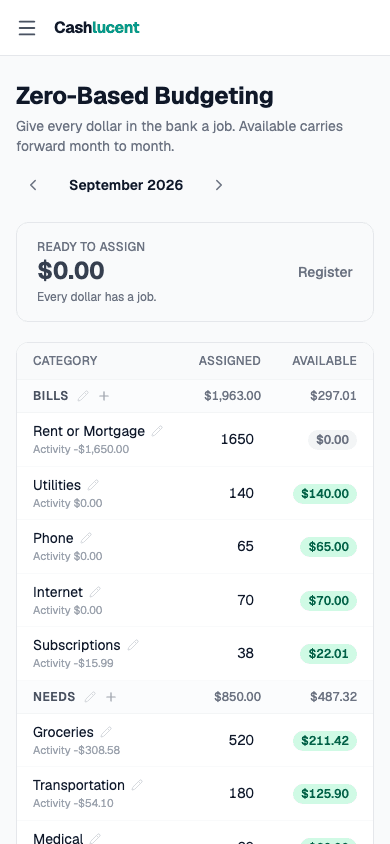
The grid fits a phone. Check Available before you tap to pay, and enter the purchase while the receipt is still in your hand.
- Envelope budget with Ready to Assign
- Checking, savings and credit-card accounts
- Monthly and by-date targets
- Overspending caught in cash or on a card
- A register with running balances
Envelopes on a real ledger.
Every entry is a double-entry posting on the same engine that runs Cashlucent's business books. The envelope grid is a view over those postings, which is why the budget can never disagree with the account balances.
Questions, answered.
- What is zero-based budgeting?
- A method where every dollar of income is assigned to a category before it is spent, so the total assigned equals the money you have. When something changes, you move money between categories rather than spending past the plan.
- Do I have to connect a bank?
- Not today. Enter purchases in the register as they happen; it takes a few seconds each. Bank connections arrive with the wider personal launch.
- What does it cost?
- Nothing extra. The personal budget is included with every Cashlucent membership, alongside the books for every business you run. There is no separate personal plan. Every membership starts with a 14-day free trial; see the pricing page for the membership rate.
- I run a business on Cashlucent. Is this separate?
- Yes. A personal budget is its own space with its own accounts and categories, and your business books stay untouched. Both come with the same membership.
Start with this month's paycheck.
Set up a personal budget in a few minutes, assign what is in the bank, and see Ready to Assign hit zero.